
VeryWell Captcha Failures: What to Do
Encountering a CAPTCHA failure when trying to access your favorite online gaming platform can be a frustrating roadblock. This guide provides a clear, step-by-step troubleshooting process specifically for users of the VeryWell platform, helping you resolve these issues quickly and get back to your games.
Understanding the CAPTCHA System at VeryWell
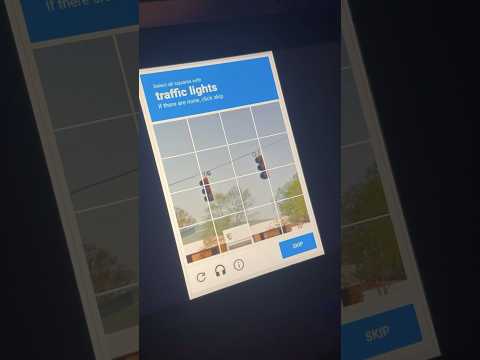
CAPTCHA, which stands for Completely Automated Public Turing test to tell Computers and Humans Apart, is a critical security feature. The VeryWell casino employs it to verify that a real person is attempting to log in or create an account, not an automated bot. This protects both your account and the platform’s integrity from fraudulent activities like credential stuffing and spam account creation. While essential, these systems can sometimes be overly sensitive or fail to load correctly, preventing legitimate users from proceeding.
Common Causes of CAPTCHA Failures
Before diving into solutions, it’s helpful to understand what might be causing the problem. The issue is rarely with the VeryWell servers themselves but is often localized to your device or connection. Common culprits include browser extensions (especially ad-blockers and privacy tools), outdated browser cache and cookies, a slow or unstable internet connection, or overly strict firewall settings that block the CAPTCHA service from loading. Identifying the likely cause can help you choose the most effective fix first.
| Problem Symptom | Likely Cause | Primary Solution |
|---|---|---|
| CAPTCHA image/checkbox doesn’t appear | Browser cache or ad-blocker | Clear cache/cookies or disable extensions |
| Repeated failure even with correct input | Cookie or JavaScript issue | Enable cookies/JavaScript for the site |
| Extremely slow loading | Unstable internet connection | Refresh page or restart router |
| Access from a new location | IP address flagging | Wait or contact support if persistent |
Step-by-Step Troubleshooting Guide
Follow these steps in order to resolve your CAPTCHA issue efficiently.
- Refresh the Page: Start with the simplest solution. A full page refresh (Ctrl+F5 or Cmd+Shift+R) can often resolve a temporary glitch.
- Check Your Internet Connection: Ensure your connection is stable. Try switching from Wi-Fi to a wired connection or using your mobile data as a test.
- Clear Browser Cache and Cookies: Old or corrupted data can interfere. Clear this data for “all time” or “everything” in your browser settings.
- Disable Browser Extensions: Temporarily turn off ad-blockers, VPN extensions, and privacy tools, then reload the VeryWell login page.
- Try a Different Browser: If it works in another browser (e.g., Chrome, Firefox, Edge), the issue is specific to your original browser’s configuration.
- Restart Your Device: A simple reboot can clear out numerous software conflicts and is always worth a try.
When to Contact VeryWell Customer Support
If you have tried all the self-help steps and the problem persists, it’s time to contact VeryWell’s support team. The issue could be related to your account or IP address being flagged. Before you contact them, ensure you have the following information ready: your username or email associated with the account, the type of device and browser you are using, a description of the exact error you see, and the steps you have already taken to try and resolve it. You can reach them via live chat or email, which are typically the fastest methods for such technical issues. Remember, to explain your problem, you will need to successfully complete the VeryWell casino login on their support portal.
Preventing Future CAPTCHA Issues
To minimize the chances of this happening again, you can take a few proactive measures. Keep your preferred browser updated to the latest version. Whitelist the VeryWell casino domain in your ad-blocker and antivirus/firewall software to prevent them from interfering with necessary scripts. Avoid using public or heavily shared networks when accessing your account, as these IP addresses are more likely to be flagged for suspicious activity. Finally, always ensure you enter any VeryWell promo code carefully during registration or claiming a VeryWell bonus to avoid triggering security checks for erroneous inputs.
Claiming Bonuses After a Successful Login
Once you’ve regained access, you can get back to enjoying what the platform offers. If you were in the process of claiming a reward, check your account’s bonus section. A common offer players seek is the VeryWell no deposit bonus, which typically requires a code but no financial commitment. Other popular promotions include packages that provide VeryWell free spins on selected slot games. Always remember to read the full terms and conditions, including wagering requirements and game restrictions, before claiming any promotion to ensure a smooth experience.